Most clinic software is built as if every patient will install one more app, remember one more password, and open a portal the night before a 20-minute visit.
A lot of them will not.
They booked by phone, or on a simple link. They are older, or busy, or they already have eight health logins they never use. If the only way to say “I am coming” is a download, you do not have a confirmation. You have a silent slot.
This is not another page about why people miss appointments. It is about the last step: can they answer the reminder at all.
What “no app” actually means
It means the patient never creates an Orvexify account.
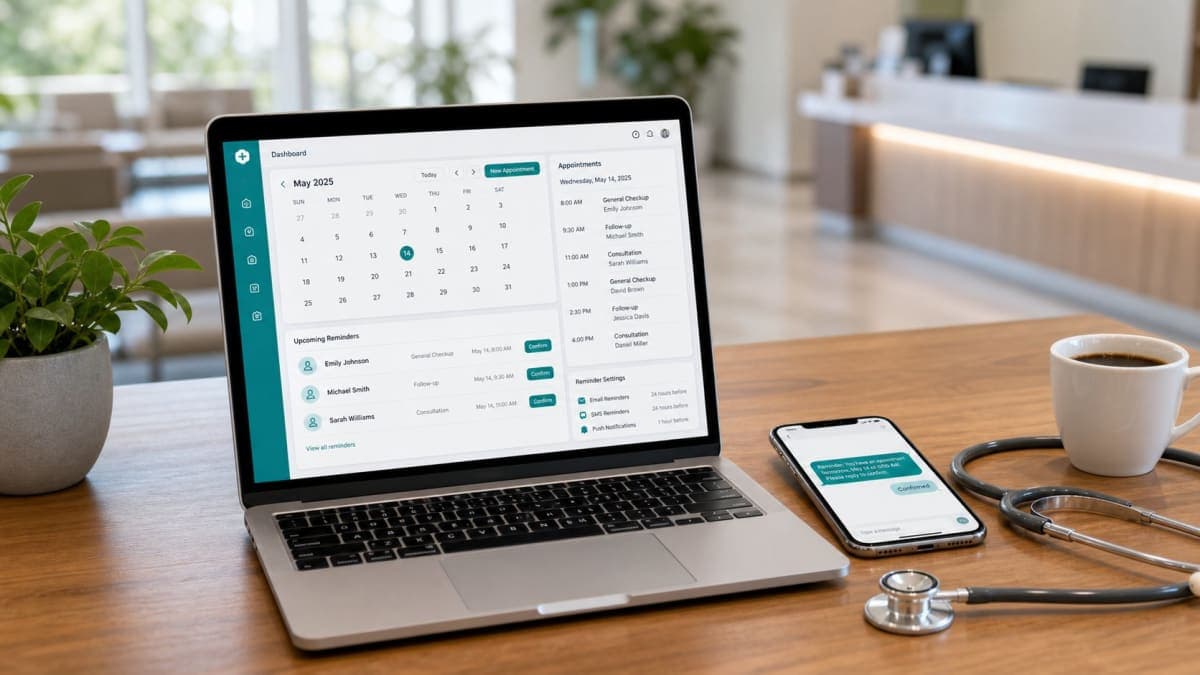
They get an email from the clinic. It has the date, the time, and the clinic name. Two actions sit in that message: Confirm and Cancel. They tap one. That is the whole patient product.
No App Store. No “reset password.” No QR code that opens a 12-screen onboarding.
Staff see the result on a dashboard: confirmed, pending, cancelled. If someone cancels in time, the hour can still be offered to someone else.
That is the job. It is not a hospital portal and it is not a full EMR.
Why app-first confirmation fails in a small clinic
Hospital groups can force a portal. A two-doctor practice cannot.
Three things go wrong when confirmation lives inside an app:
1. The people who miss visits most are the least likely to install it.
Forgotten appointments cluster with busy parents, older patients, and anyone who booked weeks ahead. Those are not the people who enjoy a new login.
2. Staff become IT support.
“It says invalid code.” “I deleted the app.” “Which email did I use?” The front desk did not hire on for that.
3. You measure the wrong thing.
A high “app install” count is not attendance. A confirmed visit is. If half the list never opens the app, your reminder programme is theatre.
Email is not glamorous. It is already on the phone. For a 24-hour notice, that is the point.
What the email has to contain
A confirmation mail that works is short.
- Clinic name (the one they know, not a vendor name)
- Date and time in the clinic’s timezone
- Who they are seeing, if the clinic has more than one clinician
- Confirm
- Cancel
- Nothing that looks like a newsletter
If they have to scroll past a blog, a rating widget, and three buttons to find the time, they will close it.
Orvexify sends this as a transactional reminder — 24 hours before, 2 hours before, and a last note 30 minutes before. The first two are the ones that still leave time to cancel. The last is a nudge, not a novel.
Patients do not unsubscribe from a booked visit the way they unsubscribe from marketing. If they cannot come, they cancel the visit.
How this sits next to a booking link
Confirmation is useless if booking was a voicemail.
The other half of the same idea: a clinic booking page. Patient picks a time. No patient login there either. You get the visit into the diary once. Reminders run after that.
- Phone-only booking still works. Staff can add the visit. Reminders still go out.
- A public link just removes one round of “what times do you have next Thursday.”
Orvexify is that layer: booking page + email reminders + the confirm/cancel tap. It does not replace charting, billing, or the clinical record.
Starter is live at $14.99/month (two doctors, 300 appointments). Growth and Pro are waitlist. There is no card required to create an account.
See the flow on how it works, or the booking-page argument if the diary is still only a phone.
What this is not
- Not a patient social network.
- Not “download our app for 50 points.”
- Not a claim that every clinic will fill every cancelled slot. Some cancels arrive too late. The email just makes the late ones rarer.
- Not a measured 70% result. We do not publish fake clinic counts.
If a reminder vendor’s first instruction is “have every patient install,” ask what happens to the people who will not.
A practical check for your own list
Pick one clinic day last week. For each missed visit, ask only this:
Could that person have told you the night before without installing anything.
If the answer is no, the gap is not “more software.” It is a message they can answer.
Create an account if you want that message to go out on the 24-hour / 2-hour / 30-minute schedule. Pricing is on one page. Email support is support@orvexify.com.
FAQs
Do patients need to download an app to confirm?
No. They open the reminder email and tap Confirm or Cancel. There is no patient login.
Do they need an Orvexify account?
No. Accounts are for clinic staff. Patients are not users of the product.
What if they never tap anything?
The visit stays pending. You still have the time in the diary; you just do not have a commitment. That is better than pretending an unopened app means they are coming.
Can staff still book people who called in?
Yes. Add the appointment. The same emails go out. The public booking link is optional.
Is this only for big clinics?
No. Starter is two doctors and 300 appointments a month. The whole point is a front desk that should not also be an app helpdesk.