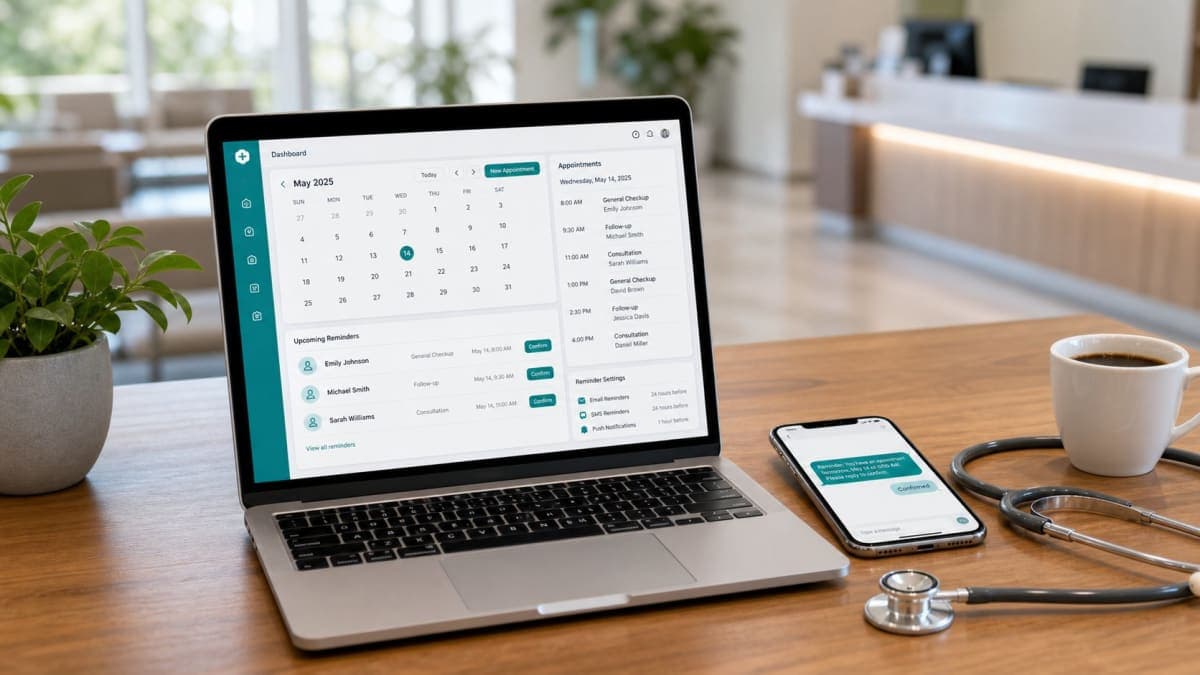
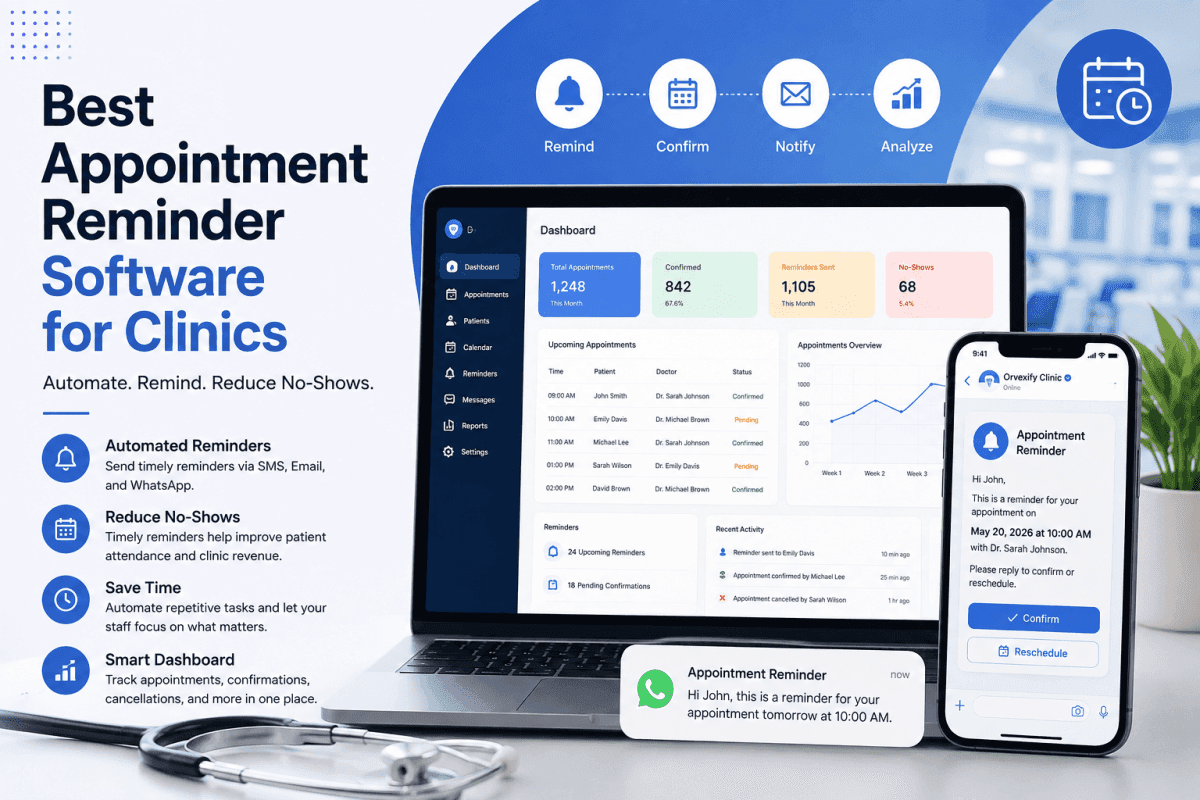
Choosing the best appointment reminder software for clinics has become increasingly important as healthcare providers look for practical ways to improve patient attendance, reduce administrative workload, and keep appointment schedules organized.
Missed appointments and last-minute cancellations can create significant problems for clinics. An empty appointment slot does not simply represent lost revenue. It can also affect staff productivity, disrupt daily schedules, reduce access to care, and create unnecessary administrative work.
Traditional reminder methods such as manual phone calls, spreadsheets, and one-off messages can work for very small practices, but they become difficult to manage as appointment volumes increase. Automated appointment reminder software allows clinics to send timely notifications to patients without requiring staff to manually contact every person.
The right system can help a clinic manage appointment confirmations, reminders, cancellations, scheduling communication, and follow-ups from a centralized platform.
But with so many solutions available, how do you determine which appointment reminder software is actually right for your clinic?
This guide explains the most important features to look for, how appointment reminder systems work, what benefits they can provide, and how healthcare organizations can evaluate different solutions before making a decision.
What Is Appointment Reminder Software?
Appointment reminder software is a digital system that automatically sends notifications to patients before their scheduled appointments.
Depending on the platform, reminders may be delivered through channels such as email, SMS, WhatsApp, or other messaging systems.
Instead of requiring receptionists or administrative staff to manually contact patients, the software can automatically trigger reminders according to predefined schedules.
For example, a clinic could configure its system to send:
- A reminder 24 hours before an appointment
- A reminder several hours before the appointment
- A confirmation request after booking
- A follow-up message after an appointment
- A cancellation or rescheduling notification
The purpose is simple: make it easier for patients to remember their appointments while reducing the amount of repetitive communication staff need to handle manually.
For clinics that are already struggling with missed appointments, automated reminders can become an important part of their overall appointment management strategy.
For a broader explanation of reminder systems and their role in healthcare, see Healthcare Appointment Reminders: The Complete Guide to Reducing No-Shows in Modern Clinics.
Why Do Clinics Need Automated Appointment Reminders?
Patients are busy.
They may schedule an appointment several days or weeks in advance and simply forget about it. Others may have changing work schedules, family responsibilities, transportation problems, or multiple appointments to manage.
A reminder cannot solve every reason for a missed appointment, but it can address one of the simplest problems: forgetting.
Manual reminder calls also consume valuable staff time.
Imagine a clinic with 50 appointments per day. If staff members spend even a few minutes contacting each patient, the amount of time spent on reminder-related tasks can quickly become significant.
Automated appointment reminder software can handle much of this communication automatically.
Instead of spending hours making reminder calls, staff can focus on activities that require human attention.
This is one reason healthcare organizations increasingly consider appointment automation an important part of modern clinic management.
How Automated Appointment Reminders Work
Most appointment reminder systems follow a relatively straightforward process.
1. An appointment is scheduled
A patient books an appointment through the clinic's scheduling system, website, booking page, or administrative staff.
2. Appointment information is stored
The system records information such as:
- Patient name
- Appointment date
- Appointment time
- Provider
- Clinic or location
- Contact information
- Appointment status
3. The reminder schedule is triggered
The software identifies when a reminder should be sent based on the appointment time.
For example, the clinic may configure reminders for 24 hours and 2 hours before an appointment.
4. The patient receives the reminder
The reminder is delivered through the configured communication channel.
A typical reminder may include the appointment date, time, provider information, and instructions for confirming, cancelling, or rescheduling.
5. The appointment status can be updated
If the software supports confirmations and responses, patient actions can help the clinic identify confirmed, cancelled, or pending appointments.
This workflow can significantly reduce repetitive administrative work.
For clinics interested in improving the entire scheduling process rather than reminders alone, Best Clinic Scheduling Software in 2026 provides additional information.
Key Benefits of Appointment Reminder Software for Clinics
The best appointment reminder software should do more than send messages.
It should help clinics create a more organized communication process around appointments.
1. Reduce Missed Appointments
One of the primary reasons clinics adopt reminder software is to reduce missed appointments.
When patients receive timely reminders, they have another opportunity to remember the appointment and take action if they can no longer attend.
For clinics looking specifically for strategies to reduce no-shows, How to Reduce Patient No-Shows With Automation is a useful starting point.
2. Save Administrative Time
Manual reminder calls can be repetitive.
Automation allows staff to spend less time performing routine communication and more time helping patients, managing schedules, and handling tasks that require human judgment.
3. Improve Patient Communication
Patients generally expect healthcare organizations to provide clear and timely information.
Automated reminders can create a more consistent communication experience.
Instead of relying on staff members to remember when every patient needs to be contacted, the software can follow predefined reminder schedules.
4. Make Scheduling More Organized
Appointment reminders are only one part of appointment management.
A modern system can help clinics coordinate scheduling, confirmations, cancellations, and reminders within a more structured workflow.
5. Reduce Last-Minute Surprises
When patients receive reminders before their appointments, they have an opportunity to identify scheduling conflicts earlier.
If a patient needs to cancel or reschedule, early communication can give the clinic more time to manage the appointment slot.
For additional strategies, read How to Reduce Appointment Cancellations in Clinics.
6. Improve Patient Experience
A patient who receives a clear reminder does not have to search through old emails or remember the details of an appointment made weeks earlier.
Simple communication can make the overall healthcare experience feel more organized.
Features to Look for in the Best Appointment Reminder Software
Not every appointment reminder platform offers the same capabilities.
Before choosing a solution, clinics should evaluate the features that matter most to their workflow.
1. Automated Reminder Scheduling
Automation should be one of the core features.
The clinic should be able to define when reminders are sent without manually triggering every message.
For example:
- 24-hour reminders
- 2-hour reminders
- Same-day reminders
- Confirmation reminders
- Follow-up reminders
The exact schedule should depend on the clinic's workflow and patient population.
2. Patient Appointment Confirmations
Confirmation functionality can help clinics understand which appointments have been acknowledged by patients.
A confirmation workflow may allow patients to confirm attendance or indicate that they need to reschedule.
This can give administrative staff greater visibility into upcoming appointments.
3. Multiple Communication Channels
Different patients prefer different communication methods.
Depending on the software, clinics may want support for:
- Email reminders
- WhatsApp reminders
A flexible communication strategy can make reminders more useful across different patient groups.
For clinics specifically interested in healthcare messaging, Patient Appointment Reminders: The Complete Guide for Modern Healthcare Clinics (2026) covers the broader role of patient reminders.
4. Appointment Scheduling
Ideally, reminder software should work alongside appointment scheduling rather than functioning as an isolated messaging tool.
A system that combines booking and reminders can reduce the need for staff to manage multiple disconnected tools.
5. Cancellation and Rescheduling Support
Patients do not always need reminders simply to confirm an appointment.
Sometimes they need to change it.
A useful system should make it easy for patients to communicate changes and for clinics to manage those changes.
6. Reporting and Analytics
Healthcare administrators should be able to evaluate whether their communication processes are working.
Useful reports may include information about:
- Appointment volume
- Confirmations
- Cancellations
- No-shows
- Reminder activity
- Attendance patterns
Analytics can help clinics identify problems and make better operational decisions.
7. Easy-to-Use Dashboard
Software should make clinic administration easier, not harder.
A clear dashboard can help staff quickly understand:
- Today's appointments
- Upcoming appointments
- Confirmed appointments
- Cancelled appointments
- Pending actions
- Patient communication activity
Complex software can create unnecessary training requirements, so ease of use should be part of the evaluation process.
8. Customizable Reminder Messages
Clinics have different communication styles and patient requirements.
Customizable messages allow healthcare organizations to create reminders that fit their brand and workflow.
A reminder might include:
- Clinic name
- Provider name
- Appointment date
- Appointment time
- Location
- Confirmation instructions
- Cancellation instructions
9. Mobile-Friendly Experience
Patients increasingly manage appointments from smartphones.
The reminder experience should therefore work well on mobile devices.
A patient should be able to quickly understand the appointment details and take the appropriate action without navigating a complicated interface.
10. Security and Privacy
Healthcare organizations handle sensitive information.
Before adopting any software, clinics should carefully review the provider's security, privacy, data handling, and regulatory requirements.
The specific compliance requirements will depend on the clinic's location, services, patient information, and applicable regulations.
Clinics should not assume that every appointment reminder platform automatically meets their particular compliance obligations.
Appointment Reminder Software vs. Manual Reminder Calls
Manual calls have traditionally been an important part of patient communication.
They can also be useful when a patient requires personal assistance.
However, relying entirely on manual calls creates several challenges.
Manual reminders
Staff must:
- Identify upcoming appointments
- Contact each patient
- Record the outcome
- Follow up when necessary
- Update appointment information
This can become time-consuming.
Automated reminders
Automation can handle the routine communication process according to predefined rules.
Staff can then focus on exceptions, questions, cancellations, and patients who need personal assistance.
The goal should not necessarily be to eliminate human communication.
Instead, automation can handle predictable tasks while staff concentrate on higher-value interactions.
How Appointment Reminder Software Can Help Reduce No-Shows
No-shows can happen for many different reasons.
Patients may:
- Forget the appointment
- Lose track of the date
- Have scheduling conflicts
- Experience transportation problems
- Become ill
- Need to cancel but forget to contact the clinic
- Assume the appointment was cancelled
- Have difficulty remembering appointments scheduled far in advance
Automated reminders primarily address the communication component.
A well-designed reminder strategy can give patients multiple opportunities to remember their appointments and communicate changes.
For a deeper discussion of the causes behind missed appointments, see Why Patients Miss Appointments and How Clinics Can Prevent It.
Choosing Reminder Timing
There is no universal reminder schedule that works perfectly for every clinic.
A dental practice, physiotherapy clinic, medical practice, veterinary clinic, and specialist clinic may all have different workflows.
However, many clinics can benefit from a multi-stage reminder strategy.
For example:
Earlier reminder: Gives the patient enough time to notice a scheduling conflict.
Closer reminder: Provides a final prompt shortly before the appointment.
The exact timing should be tested based on patient behavior and clinic requirements.
The objective is not to send as many reminders as possible.
The objective is to send useful reminders at appropriate times.
Appointment Reminder Software for Different Types of Clinics
The best solution can vary depending on the healthcare organization.
Medical Practices
General medical practices can use reminders to manage routine consultations, follow-ups, and recurring appointments.
Dental Clinics
Dental appointments are often scheduled in advance, making timely reminders particularly useful.
Physiotherapy Clinics
Physiotherapy often involves recurring appointments, so automated communication can help patients remember upcoming sessions.
For this use case, How Automated Appointment Reminders Increase Patient Attendance can provide additional context.
Optometry Clinics
Optometry practices may use reminders for examinations, follow-up visits, and routine appointments.
Specialist Clinics
Specialist appointments may involve longer waiting periods between booking and attendance, making patient communication especially important.
Veterinary Clinics
Veterinary practices also deal with missed appointments and cancellations. Automated reminders can help owners remember appointments for their pets.
How to Compare Appointment Reminder Software
When comparing different solutions, clinics should avoid choosing software based only on the number of features.
Instead, evaluate the complete workflow.
Ask:
Does it solve the actual problem?
If the primary problem is missed appointments, make sure the system provides effective reminder and confirmation functionality.
Is it easy for staff?
A feature-rich platform that staff struggle to use may create more problems than it solves.
Is it easy for patients?
Patients should be able to understand reminders quickly and take action without unnecessary steps.
Can it scale?
A solution should continue to work as the clinic grows.
Does it provide useful reporting?
Administrators should be able to evaluate appointment activity and identify operational patterns.
Does the pricing make sense?
Consider the total cost rather than looking only at the advertised monthly price.
Common Mistakes When Choosing Appointment Reminder Software
Choosing Based Only on Price
The cheapest software is not necessarily the best value.
A low-cost solution that lacks important functionality may force clinics to purchase additional tools later.
Choosing Too Many Features
More features do not automatically mean better software.
A clinic should prioritize functionality that directly supports its workflow.
Ignoring Patient Experience
Software is ultimately being used to communicate with patients.
If reminders are confusing or difficult to act on, the system may not deliver its full value.
Ignoring Reporting
Without reporting, administrators may struggle to understand whether their reminder strategy is producing meaningful improvements.
Failing to Consider Future Growth
A solution that works for a small clinic may become restrictive as appointment volume increases.
What Should a Modern Clinic Expect From Appointment Reminder Software?
A modern clinic should expect appointment software to make routine administrative work simpler.
At minimum, the system should provide an organized way to manage appointment communication.
Depending on the clinic, desirable capabilities may include:
- Automated reminders
- Patient confirmations
- Appointment scheduling
- Cancellation management
- Rescheduling workflows
- Multiple communication channels
- Reporting
- Dashboard analytics
- Customizable messages
- Patient management
- Mobile-friendly access
The right combination depends on the clinic's size, specialty, workflow, and patient communication requirements.
Orvexify as an Appointment Reminder Solution
For clinics looking for an integrated approach to appointment management and reminders, Orvexify provides tools designed around appointment scheduling and patient communication.
The platform is designed to help clinics manage appointments while automating routine reminders.
Clinics can learn more about the platform through the Orvexify Features page and review available options through Orvexify Pricing.
If your clinic is evaluating appointment reminder software, it is worth comparing the actual workflow rather than simply counting features.
The right platform should help your team spend less time on repetitive administrative tasks and more time managing patients and delivering care.
How to Evaluate the Best Appointment Reminder Software for Your Clinic
Before making a final decision, create a simple checklist.
Step 1: Identify your biggest problem
Are you dealing with:
- Too many no-shows?
- Too many manual reminder calls?
- Poor appointment communication?
- Last-minute cancellations?
- Disorganized scheduling?
- Limited reporting?
Start with the problem rather than the software.
Step 2: Define your requirements
Write down the features your clinic actually needs.
For example:
- Automated reminders
- Patient confirmations
- Scheduling
- Cancellation handling
- Reporting
- Email communication
- WhatsApp communication
Step 3: Compare workflows
Do not just compare feature lists.
Test how each platform handles a real appointment from booking to reminder to confirmation or cancellation.
Step 4: Evaluate usability
Ask staff members to test the system.
If everyday tasks are complicated, adoption may become difficult.
Step 5: Review pricing
Compare the expected cost with the value of the time and administrative work the software can save.
You can review Orvexify Pricing to see how the platform approaches appointment management and reminder functionality.
Step 6: Consider the patient experience
Test the system from the patient's perspective.
Is the reminder clear?
Can the patient understand the appointment details?
Can they easily take the next step?
Step 7: Measure results
After implementation, monitor useful metrics such as:
- No-show rate
- Cancellation rate
- Confirmation rate
- Appointment volume
- Staff time spent on reminders
- Patient response rate
This helps determine whether the software is delivering measurable value.
Is Appointment Reminder Software Worth It for Small Clinics?
Small clinics sometimes assume that appointment reminder software is only useful for large healthcare organizations.
That is not necessarily the case.
Even a small practice can lose valuable time when staff members repeatedly make reminder calls.
For a clinic with a small administrative team, automation can be particularly useful because staff resources are limited.
The key is selecting software that matches the clinic's actual needs without unnecessary complexity.
Is Appointment Reminder Software Worth It for Large Clinics?
Larger clinics may have even greater reasons to automate.
Higher appointment volumes mean more reminders, more cancellations, more confirmations, and more administrative activity.
A scalable system can help standardize communication across teams and locations.
For multi-location organizations, reporting and centralized management can become particularly important.
The Future of Appointment Management
Healthcare appointment management continues to move toward more connected digital workflows.
Patients increasingly expect convenient booking, clear communication, digital reminders, and simple ways to manage appointments.
Clinics also need tools that reduce repetitive administrative work.
Appointment reminder software is therefore becoming less of an isolated communication tool and more of a component of broader clinic management.
The long-term objective is not simply to send reminders.
It is to create a smoother appointment journey from booking through attendance and follow-up.
Final Thoughts
The best appointment reminder software for clinics is not necessarily the platform with the longest feature list.
The best solution is the one that fits the clinic's workflow, makes communication easier, reduces repetitive administrative work, and provides patients with timely and useful appointment information.
Automated appointment reminders can help clinics address one of the most common operational challenges in healthcare: keeping patients informed about upcoming appointments.
When combined with effective scheduling, confirmation processes, cancellation management, and reporting, reminder software can become an important part of a modern clinic's operational strategy.
If you are currently evaluating appointment reminder solutions, start by identifying your clinic's biggest scheduling and communication problems. Then compare platforms based on how effectively they solve those problems.
For clinics looking for a platform that combines appointment management with automated patient communication, explore Orvexify Features, review Orvexify Pricing, and consider whether the platform fits your clinic's workflow.
A better reminder process can mean less repetitive administrative work, better appointment visibility, and a more organized experience for both clinic staff and patients.