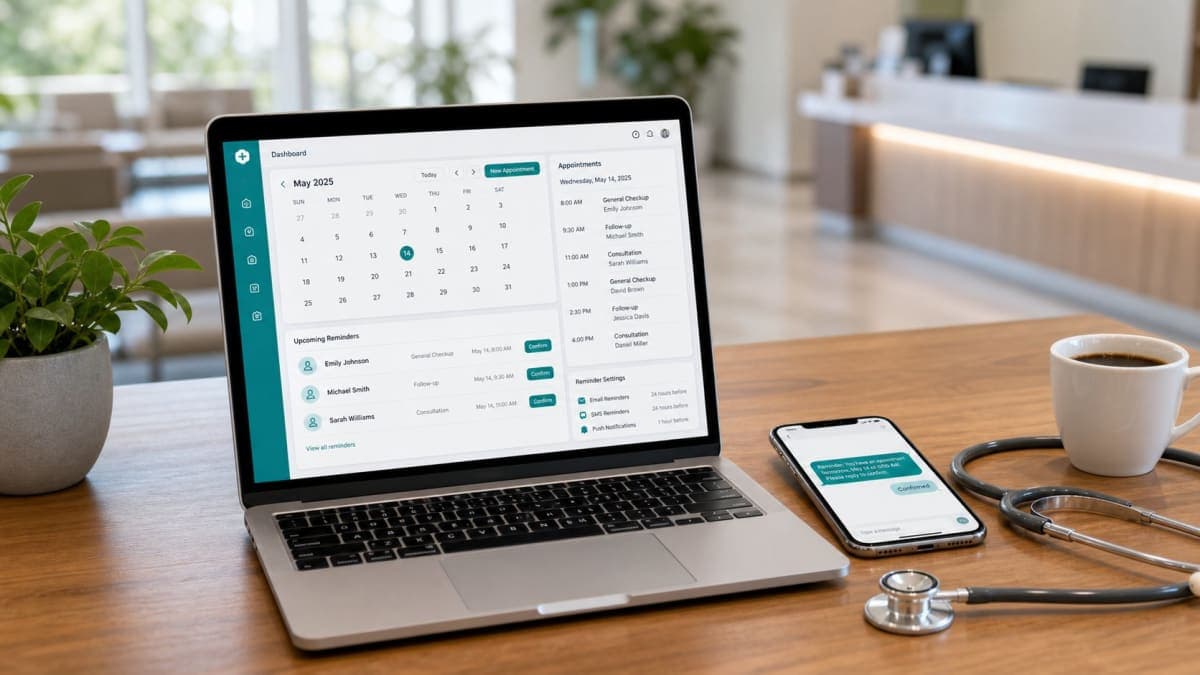

A booking link is a time-picker.
They open it. They see the clinic name. They pick a day and an hour. They type a name and an email. They are done. There is no password. There is no “create your patient account.” There is no chart waiting behind a login they will forget before Thursday.
Clinics keep asking a booking page to be a portal. History. Messages. Lab results. A profile. An app. That is a different product. If you hang those rooms on the door that was supposed to take thirty seconds, a lot of people never walk through. Older patients. Tired parents. Anyone who already gave you the same facts on the phone last month.
This is not patients confirm from email with no app. That page is the tap in the mail. This page is the link before the mail exists. It is not a reminder is not a newsletter. It is not phone bookings still needing the same email — that page is the other intake. The link is this intake. Both land on the same list. Neither is a portal.
Orvexify is a booking page plus email reminders. Confirm and Cancel sit in the mail. No patient app. No patient login. No SMS. WhatsApp on Growth and Pro is coming soon. Reschedule from the mail is not live. There is no waitlist ping. We do not publish a 70% figure. We are not an EMR. The public page is not a patient portal.
A portal solves a different job
A portal is a room you return to. You remember a password. You look up an old visit. You download a letter. Hospitals and large EMRs sell that room because they have a chart to show.
A small clinic’s booking problem is not “they cannot see last year’s notes.” It is “they did not pick Thursday.” The link exists so they can pick Thursday without ringing, without an account, without installing anything. After they pick it, the reminder does the remembering. The page does not need to stay open in their life.
If you force a portal in front of the slot, you have added a second job: become a user of our system. Plenty of people who would have taken 10:00 will not become users. They will ring. Then you are back to staff typing the visit. The link did not fail because people hate the internet. It failed because you asked the internet to be a membership.
What the page is allowed to be
Short, on purpose.
- Clinic name they know. Logo if you have one — the mark, not a white box pretending to be a brand.
- Who they can see, if you have more than one clinician.
- Days and times in one column they can tap with a thumb. Not a grid that needs a desktop.
- Clinic-local time. The zone on the reminder should match what they picked here. Do not convert to their phone and then argue with the diary.
- Name. Email. Enough to send the 24-hour, 2-hour, 30-minute mails.
- Done.
No header that looks like a marketing site and asks them to “learn more.” No blog. No 70%. No App Store. No “create password to continue.” No medical questionnaire pretending to be a booking form. If you need intake forms, that is a different letter or a paper on the day. Do not hide 10:00 under twelve fields.
Pro clinics can take our name off the public page. That is branding. It is still not a portal. Hiding a vendor mark does not add a chart.
What happens when they are done
They should not land in an account.
They should exist on your list: a visit, an email, a time. Then the sequence runs. Pending gets Confirm and Cancel. Confirmed gets a last note without buttons. Cancelled stops the remaining mail. Opened is not confirmed. Confirmed is not arrival. Cancelled is not a refill. None of that requires them to log into a portal to “manage my appointment.” Managing is two taps in the mail, or a phone call to you.
If they want another day after Cancel, they use the same link again, or you type it. There is no Reschedule button on the page that pretends to be live. There is no “my upcoming visits” behind a password. You have the upcoming visits. That is the dashboard. They have an email.
One link, one clinic — not a hospital front door
Orvexify is not six sites and a regional login.
One practice, one booking link, one timezone, one list. If a second city appears later, that is a different product problem. Do not hang a multi-location portal on a reminder layer and then wonder why the page feels heavy.
Staff still take phone bookings. The link does not replace the desk. It takes the people who would rather not ring. If you only remind the people who used the link, you have split the diary again. Put both intakes on the same board. Leave the page stupid on purpose.
When the month is full, the page should refuse
A portal often lets people “request” forever. A time-picker should not.
If the clinic is at the appointment cap for the calendar month, the public page should not create another visit. Full is full. Better an honest refusal than a slot you cannot honour, or a silent failure after they thought they booked.
That is not rudeness. That is the page telling the truth. They can ring. You can decide. The link should not pretend to be an infinite waiting room. We do not run a waitlist that texts the next person. Do not use the booking page as a fake waitlist either — collecting names with no slot is a list you now owe, with no mail sequence that matches a real time.
Why clinics inflate the page anyway
Fear. “If it looks too simple, we look cheap.” “If they don’t have an account, we don’t own them.” “If we don’t collect history now, we will forget.”
You own the visit because it is on your list, not because they have a password. History belongs in your notes, on your side, after they are a patient you actually saw — or in the EMR you already pay for. Copying a hospital portal onto a two-doctor booking link does not make you a hospital. It makes the link slow.
Cheap is an empty chair because they closed the tab at the password screen. Simple is a slot and an email. The reminders are where you spend the product, not a fake chart on a public URL.
The page is not the reminder
Clinics also try to make the booking page send the “you’re booked” novel.
A short confirmation that the slot is theirs is fine. Then stop. The 24-hour, 2-hour, and 30-minute mails are the reminder. They are not a newsletter. Do not paste prep instructions, clinic news, and a portal login into the thank-you screen. They booked. They need the time in the inbox later, with Confirm and Cancel, not a second website to remember.
If they never used the link — phone, walk-up, referrer — they never saw that thank-you screen. Another reason the screen cannot be the system. The list is the system.
A Thursday that only needed a slot
Twenty visits. Not a hospital.
Nine came in on the link. Nobody created a password. Nobody opened “my records.” They picked 10:00, typed an email, left. The mails went out. Some Confirmed. Some Cancelled. One forgot anyway; the row stayed Confirmed and the chair was empty. The page had still done its job. It had taken the slot without a membership.
Two more started the link and bounced at a clinic that had bolted on “register to continue.” They rang instead. One got typed in. One did not, because the desk was already on another call. That second chair is the cost of a portal you did not need.
No 70%. One rule: the public page picks a time. Everything else is your list, your mail, or a different product.
What this is not
- Not “never use online booking.” Use it. Do not turn it into a login.
- Not the no-app reminder tap. That is a separate page.
- Not an EMR, a chart, a hospital OS, or multi-location.
- Not SMS. Not a live WhatsApp book-by-chat. Email reminders on every plan, including Free. WhatsApp on Growth and Pro is coming soon.
- Not live reschedule, not a waitlist, not a 70% badge, not a first-100 offer.
- Not custom reminder timing. The sequence is 24 hours, 2 hours, 30 minutes.
- Not “the booking page replaces the phone.” The phone stays. Those visits still need the email.
How Orvexify’s booking page behaves
On how it works:
- One clinic link. Patients book without an account and without an app.
- Times are clinic-local. Staff-added visits use the same clock and the same mails.
- Name and email are enough to run 24-hour, 2-hour, and 30-minute reminders.
- Confirm and Cancel live in the email, not in a patient portal.
- If the calendar-month cap is reached, the public page does not create another visit.
- Logo and clinic name on the page if you set them. Pro can hide the Orvexify mark. Still not a portal.
Free is 1 doctor and 15 appointments in a calendar month, no card. Starter is $14.99/month (two doctors, 300 appointments). Growth is $29.99. Pro is $69. All three paid plans are for sale. Yearly is ten times monthly. Create an account without a card.
Empty hours still cost. Use your own fee in the no-show cost calculator.
A week of keeping the link stupid
- Open your public link on a phone. Count fields before a slot is saved. If there is a password, you have a portal. Remove it.
- Try to book without creating an account. If you cannot, patients who will not register are already on the phone.
- Read the thank-you screen. If it asks them to download an app or “access my records,” cut it back to the time.
- Check what happens at cap. The page should refuse. It should not silently take a name you cannot honour.
- Do not add Reschedule, waitlist, or SMS “to make it complete.” Complete is a slot and an email.
Create an account if you want a link that takes a slot without a membership. Pricing is one page. Email support is support@orvexify.com.