
A reminder that sells you something else is not a reminder.
The patient opened mail to see whether Thursday is still Thursday. If they get a banner, a blog roundup, a star rating, and a button to download an app, they have received a campaign that happened to mention a time. Campaigns get filed. Times get missed.
This is not why 24 hours, 2 hours, and 30 minutes. That page is when the mail leaves. This is not which timezone it prints. This is not confirm from email, no app — that page is the tap. This is not opened versus confirmed, not what to send after they tap, not phone bookings, not confirmed versus the chair, not cancelled versus a refill.
Those pages assume there is a mail worth reading. This page is what is allowed to be on it.
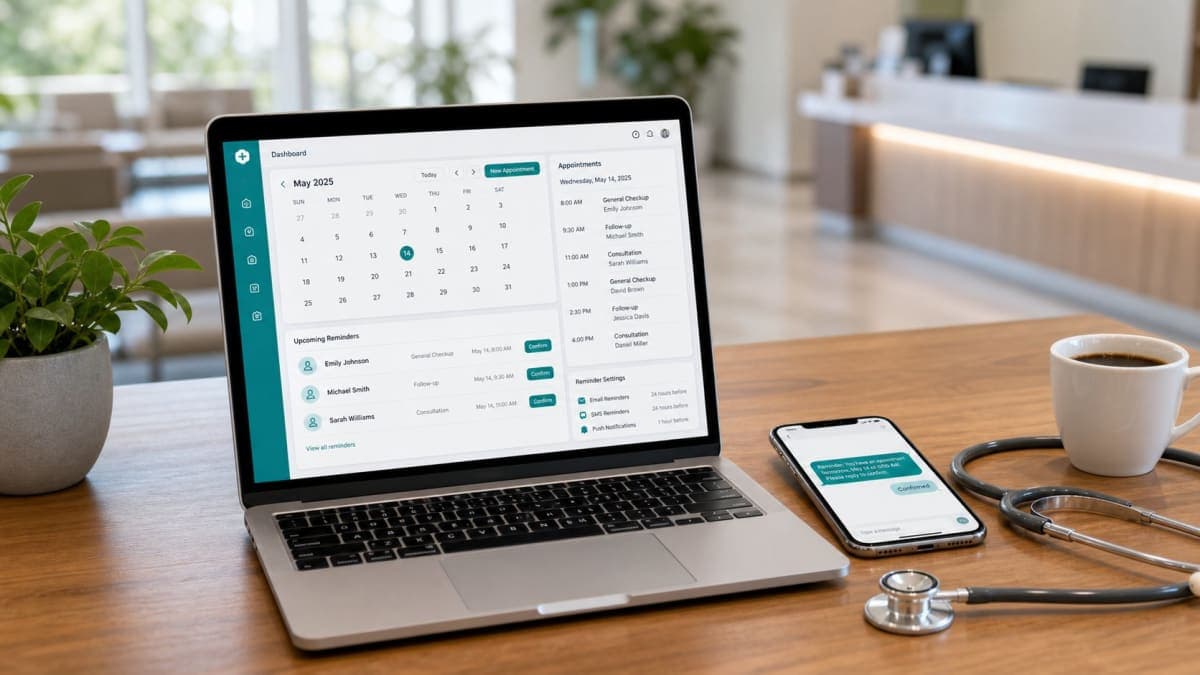
Orvexify is a booking page plus email reminders. You can send those mails with the clinic name, logo, and your own wording. Confirm and Cancel sit in the mail while the visit is pending. No patient app. No SMS. WhatsApp on Growth and Pro is coming soon. Reschedule from the mail is not live. There is no waitlist ping. We do not publish a 70% figure. A reminder is transactional. It is not a newsletter.
Transactional means the visit is the only reason it exists
They gave an email so they would not miss a chair. That is the contract.
A newsletter is optional. It is “we wrote something this month.” It can be unread forever and nobody’s 10:00 moves. A reminder is tied to a slot. If it is unread, the slot is still at 10:00. If it is buried under a promo footer, the slot is still at 10:00. The mail has one job: name the visit clearly enough that they can Confirm, Cancel, or show up.
Mixing the two is how reminder mail starts looking like marketing in a spam filter, and how a spouse who actually wanted the time hits “unsubscribe from all” and never sees Thursday.
You may send clinic staff a product-update note. That is a different letter to a different person. Do not bolt it onto the patient’s 24-hour reminder. Do not put “new on our blog” under Confirm. Do not put a star rating you did not measure. Do not put a 70% badge. There is no 70% badge.
What has to be on the page
Short. Visible without a hunt.
- Clinic name they already know. Not a legal entity they have never said out loud. The name from the phone call and the card on the door.
- Date.
- Time. AM/PM or a 24-hour clock you actually use — pick one.
- Timezone, named, clinic local. Not only “10:00.”
- Who they are seeing, if you have more than one clinician.
- Confirm and Cancel while the visit is still pending. Not Reschedule. That tap is not live.
- No login wall in front of those taps. They do not need an app.
The 30-minute note, once they have Confirmed, drops the buttons. It still needs clinic name, date, time, zone. It is a last look, not a campaign with the buttons removed as an afterthought.
If you have a logo, put it so the mail looks like the clinic, not like a blank template from a vendor they do not trust. Do not trap the logo in a white box that looks like a broken image. Do not replace the visit with the logo. The time is the payload. The mark is how they know who sent it.
Your own wording is allowed. “We look forward to seeing you” is fine. Three paragraphs of clinic philosophy is a newsletter again. If they have to scroll past your mission to find 10:00, you have failed the mail.
What to leave off
A useful list, because clinics keep adding:
- Unsubscribe from this visit. They cannot opt out of a reminder for a booked chair without cancelling or changing the visit. A footer that says “unsubscribe” next to Confirm is how you teach them that Cancel and unsubscribe are the same button. They are not.
- App Store and Play Store. There is no patient app to download. A store badge is a second task. Second tasks are how reminders die.
- SMS ask. “Text YES to confirm.” We do not send SMS. Do not promise a channel you do not run.
- WhatsApp as if it were live. Coming soon on Growth and Pro. Not a button in today’s mail.
- Reschedule. Confirm and Cancel only. Another day is a new booking, or staff type it.
- Waitlist join. There is no automatic ping to the next patient. Do not collect a list in the footer of a reminder.
- Blog, social, “rate us,” referral codes. Those are campaigns. Send them to staff, or to patients who asked for news. Not here.
- Medical advice. A reminder is not a care plan. Do not hide a clinical instruction under a time. If they need prep, that is a separate, honest note — still not a newsletter, still not a 70% claim.
- Fake proof. No “join 500 clinics,” no invented stars, no first-100 offer.
If you want a monthly letter, send a monthly letter from a different template, with a real way to stop that letter. Do not hitch it to 10:00.
The subject line is not a teaser
Newsletter subjects tease. Reminder subjects name.
“Your visit is tomorrow — Thursday 10:00 AM Mountain Time” is a subject. “Don’t miss out!” is a subject for a sale. “We miss you” is a subject for a clinic that is marketing to a lapsed list. The 24-hour mail is none of those.
Put the clinic name in the From line so it does not sit under a vendor brand they will swipe away. Put enough of the time in the subject that a lock screen is useful. Do not hide the time in a hero image that Gmail will collapse. Images fail. Words do not, if you wrote them.
The 2-hour subject can be even shorter. The 30-minute subject should still carry the time. People read that one in a car. The zone still has to be in the body. The subject can be the hour. The body must not be a magazine.
Spam filters can smell a campaign
A reminder that looks like a blast — huge image, three columns, “view in browser,” twelve links — gets treated like a blast.
Transactional mail that is mostly text, one logo, two buttons, and a time, tends to arrive. That is not a deliverability white paper. It is why you should not paste your Instagram grid into the 24-hour note.
Every extra link is a chance to look like marketing. Confirm and Cancel are the links that belong. A “manage preferences” link does not belong on a visit they already booked. A “buy a package” link does not belong. Support’s email as text is fine if you want them to write — not a five-button action bar.
If the mail bounces, that is not a Cancel and not a no-show. It is a destination that failed. Fix the address if you can. Do not read a bounce as “they unsubscribed from the newsletter,” and do not read it as attendance. An open is not a yes either. A bounce is even less than an open. It is nobody home at that address.
Branding is recognition, not a brochure
Custom wording and a clinic logo exist so the mail is obviously yours. They do not exist so you can run a brand campaign three times per visit.
Patients forward reminders to a spouse. The spouse did not book. They need to see the clinic name and the time without decoding a mood board. A photograph of the waiting room behind the time is how the time loses contrast. A seasonal header is how December’s 10:00 looks like a Christmas letter.
One type size for the time that a forty-year-old can read on a phone without pinching. Buttons that say Confirm and Cancel in those words. Not “Let us know!” Not “Update your appointment” hiding a Reschedule you do not have.
If you change the wording, change it once, then leave it. A new voice every week is a newsletter editor. A reminder should sound like the same clinic that answered the phone.
Staff mail and patient mail are different letters
The clinic account can get billing mail, limit notes, product notes. Patients should never see those.
Do not CC the patient on a staff thread. Do not put “you are near your appointment cap” on a reminder. That sentence is for the clinic. The patient needs Thursday 10:00.
If you write to staff about the product, that can be stopped by asking support@orvexify.com. If you write to a patient about a booked visit, they stop that mail by Cancelling the visit, or by you changing it. Those are not the same unsubscribe. Mixing them is how a reminder grows a footer that lies.
A Thursday inbox that still finds 10:00
Twenty visits. Not a hospital.
Fourteen reminders went out as clinic name, time, zone, two buttons. People found Thursday. Some Confirmed. Some Cancelled. Cancelled still needs a person to offer the hour.
Six reminders went out with a hero image, a blog teaser, and “unsubscribe.” Two landed in promotions. One person unsubscribed and then missed a visit they still thought they had, because they had booked by phone and thought unsubscribe meant “stop advertising,” not “stop telling me the time.” The chair was empty. The campaign had been very pretty.
No 70%. One rule: if a line does not help them arrive or release the hour, it is not on the reminder.
What this is not
- Not a lesson in when to send. That is 24 hours, 2 hours, 30 minutes.
- Not custom reminder timing as a product feature. The sequence is those three mails.
- Not a patient newsletter product. We do not run your marketing ESP.
- Not SMS. Not a live WhatsApp reminder. Email is on every plan, including Free. WhatsApp on Growth and Pro is coming soon.
- Not live reschedule, not a waitlist ping, not an EMR, not a hospital OS.
- Not a 70% badge, fake clinic counts, or a first-100 offer.
- Not “never brand the mail.” Brand it like the clinic. Do not brand it like a magazine.
How Orvexify sends the mail
On how it works:
- Email at 24 hours, 2 hours, and 30 minutes — every plan, including Free — if there is an email on the record.
- Clinic name, and logo if you have one, on the reminder. Your wording, if you set it.
- Confirm and Cancel on the 24-hour and 2-hour mails while pending. No Reschedule. No app.
- Confirmed visits get one 30-minute note with no buttons.
- After Confirm or Cancel, remaining same-tap mails stop. Opens can still count. Status does not flip because a pixel loaded.
- Reminder mail is for the visit. It is not a blog, a promo, or a staff billing note.
Free is 1 doctor and 15 appointments in a calendar month, no card. Starter is $14.99/month (two doctors, 300 appointments). Growth is $29.99. Pro is $69. All three paid plans are for sale. Yearly is ten times monthly. Create an account without a card.
Empty hours still cost. Use your own fee in the no-show cost calculator.
A week of taking the campaign off the reminder
- Open the last 24-hour mail you actually sent. Count links. If there are more than Confirm, Cancel, and maybe a support address, you have a newsletter.
- Read the subject on a lock screen. If the time is missing, fix the subject, not the banner.
- Find the unsubscribe line. If it sits on a visit reminder, remove it from that template. Cancel is how they stop the visit mails.
- Look at the logo. If the time is smaller than the mark, swap the hierarchy.
- Do not add WhatsApp, SMS, or Reschedule to “make it complete.” Complete is clinic, time, zone, two taps.
Create an account if you want reminders that read like the clinic, not like a blast. Pricing is one page. Email support is support@orvexify.com.